

Changelog
From the first working call path to today, every user-facing 9coding update is recorded here by date.
–
The first call path works
Development milestone
The first model call went through end to end. This is where 9coding began.
A first user console
Development milestone
Sign-in, overview, top-up and API keys took shape as the first four pages.
- Server foundations completed: accounts, wallets and key issuance.
Call logs
Development milestone
Every call is recorded, and the way it was billed can be expanded and read step by step.
- The console connects to real account data.
- The console adapts to phone screens; on narrow screens the navigation folds into a drawer.
Terms and Privacy Policy completed
Development milestone
The rules were written down first, before the service began.
- The console’s English interface completed.
- Password recovery.
The phosphor-terminal look
Development milestone
A black background, a phosphor glow and the feel of a terminal became the look of 9coding.
- The console moves to top navigation.
- One unit of account across the site, always shown with after the number.
- Brand line: “Here today. Here tomorrow.”
9coding.com launches
In Simplified Chinese, Traditional Chinese and English, with the full text of every page in its HTML, readable without running any script.
- Guides and FAQ in three languages.
- The Telegram community opens.
Billed at official list prices
1,000 = $1 of official-price usage, and one key calls every model on sale.
- Top-up bonus tiers: bonus credits never expire, and the balance never lapses.
- Two-level referral commission: 10% at the first level and 2% at the second, based on friends’ usage.
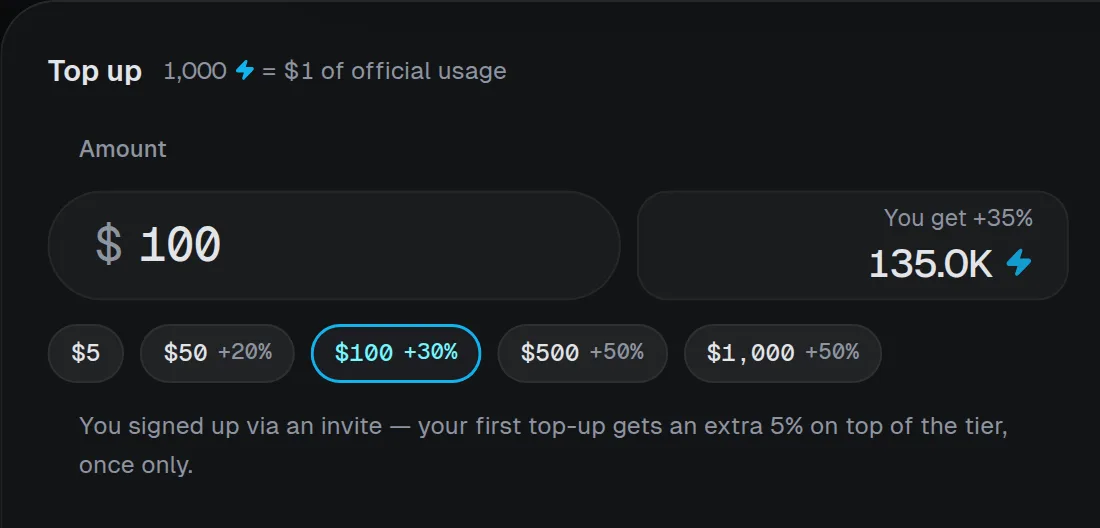
One amount field for top-up
A single amount field handles top-up, from $5 to $10,000 per payment, with the bonus worked out by tier.
- A first top-up bonus for invited users.
- Traditional Chinese in the console; a first visit follows the system language.
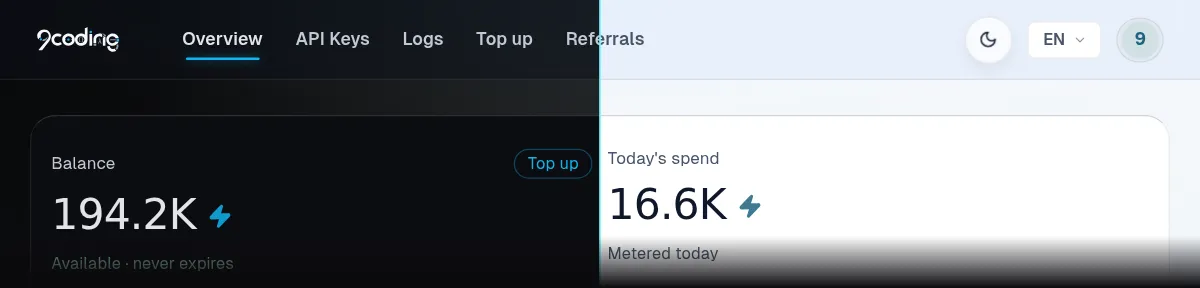
Dark and light console themes
Dark and light can be switched at any time; both themes are equally complete.
- Onboarding on the overview; one access address, api.9coding.com.
A new logo
A new 9coding mark, and one formal written style for all the copy on the site.
- The models page shows live prices and can be searched and filtered.
- A same-budget usage comparison.
- A troubleshooting handbook in three languages.
Email verification at sign-up
New accounts complete sign-up with a code sent by email.
- Online top-up opens; the available payment methods and their per-payment ranges are listed on the top-up page.
- Live chat support on the website.
- Refund and spending rules shown before payment.
Guides rebuilt
A troubleshooting series with triage search, where pasting a full error message finds the matching page, plus a Claude Code setup guide.
- A guide to checking usage and balance.
Larger type across the console
All console text moved up one size, easier to read over long stretches.
- Redeem codes confirm the credited amount at once, and the statement tells top-up bonuses and redeem codes apart.
- Terms of Service and Privacy Policy accepted at sign-up.
- Selectable log page size.
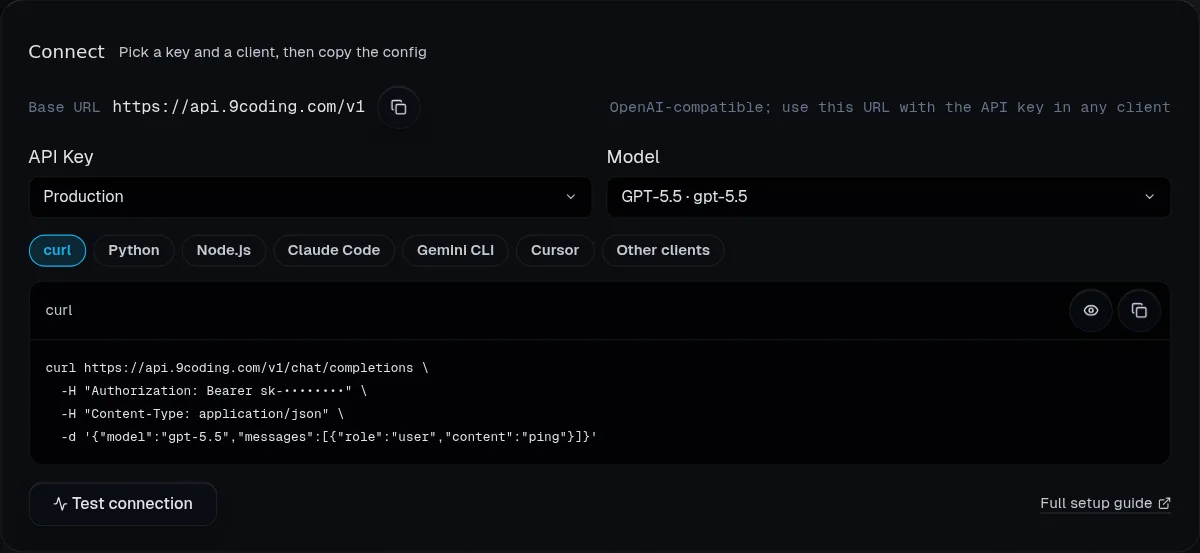
Connect: setup ready to copy
Choosing a key, a model and a client gives a ready-to-copy configuration, with a free connectivity test, the key shown right after creation, and a getting-started checklist on the overview.
- A page for 529 overloaded errors.
- Keys disabled by a password change can be restored in one step.
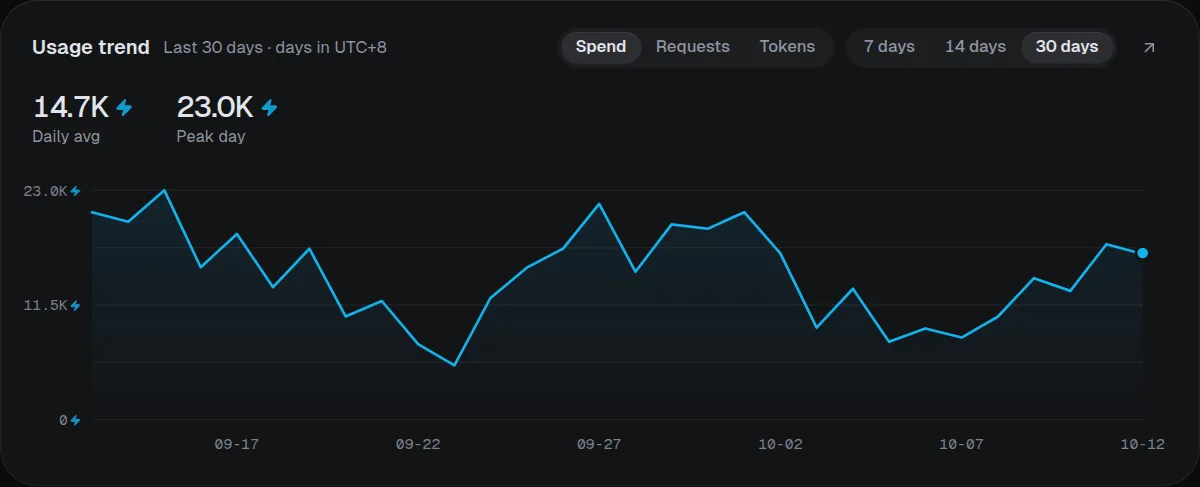
Usage trends and breakdown
Spending, requests and tokens over the last 7, 14 or 30 days, and a usage breakdown by model and by key.
- Log filters live in the link and can be shared, with a totals bar and CSV export.
- Dates labeled in one server time zone.

The hub island
Console navigation, page actions, balance and avatar gathered into one persistent hub island, with status capsules on the overview and an action island at the bottom on phones.
- Island messages: title and details in layers, retry, a countdown that can be paused, and recent messages.
- Signed-in visitors see “Open console” in the website’s top bar.
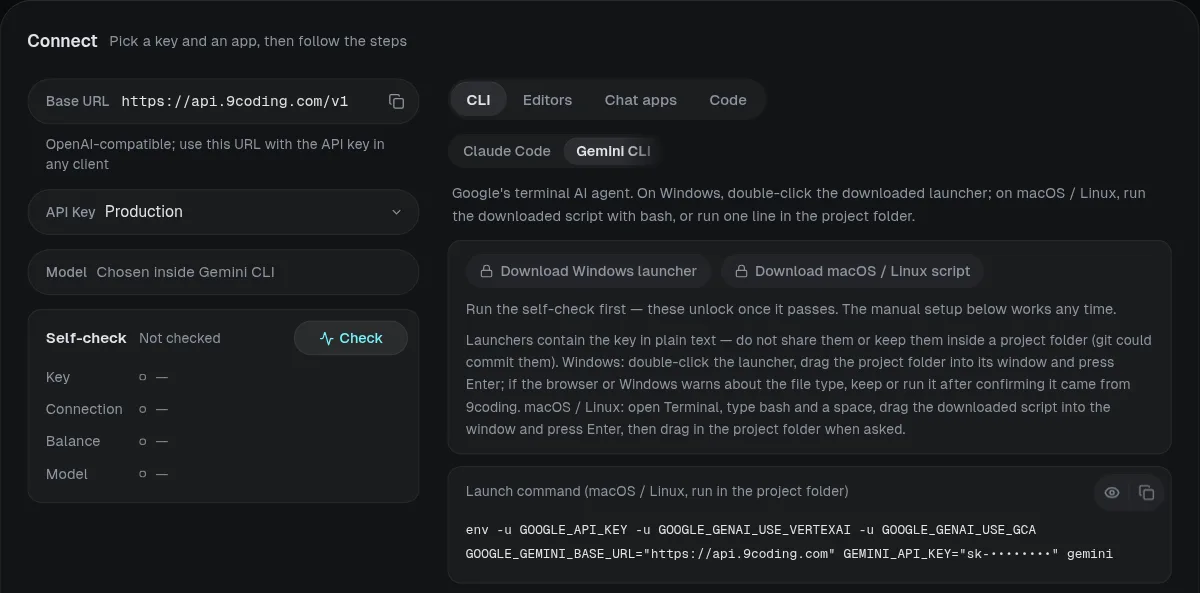
Connect: apps by scenario
Twelve apps in four groups: command line, editors, chat clients and code. Four built-in checks cover key, connection, balance and models; once all pass, apps launch or import in one click.
- Stronger account protection: changing the sign-in email requires verifying the new address and signs out other devices.
- A page on telling whether an error comes from 9coding.
9coding Web private beta
Front-end apps built and previewed by conversation in the browser: React, Vue, Svelte or plain HTML/CSS/JS, with npm packages and download. Chats and project files are saved only in the local browser; builds and previews are free.
- Four starter templates, matched to the request locally with no extra model call.
The 9coding Web workbench
Errors can be handed to the model to fix in one click; prompt enhancement replaces the text only once the result arrives, and the original comes back in one click; context optimization has three modes: auto, on and off.
- Preview widths, full screen and a new window.
- An island at the top shows the balance and “This answer cost”, and the interface comes in three languages.
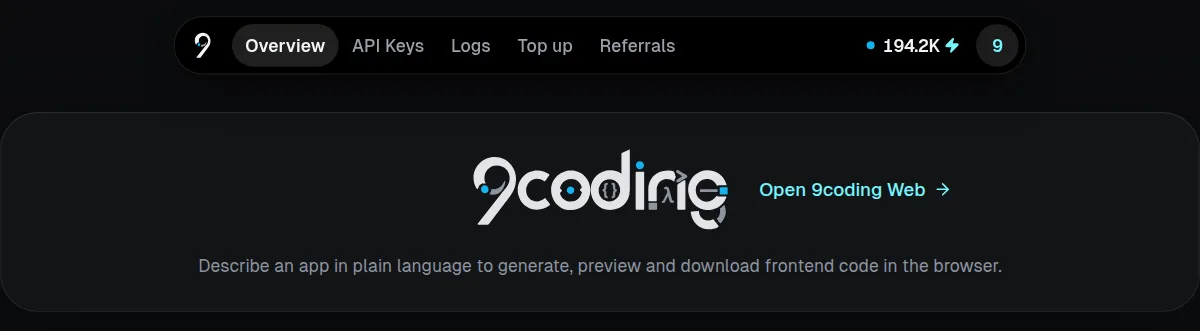
One click from the console to 9coding Web
No key, provider or endpoint to fill in. The entry is shown to every user, and accounts outside the list see “9coding Web is in private beta”.
- 9coding Web lists every chat model, and a model that is temporarily unavailable says so clearly.
The galaxy roadmap
Every development node, done and not yet done, drawn as a galaxy grown from the 9coding mark.
For the road ahead
This log records the beginning of a long road. Next, 9coding Web will let several models hand off to one another, in order, to complete a single piece of work: the user assigns a model to each role, the plan is confirmed first, and spending is visible step by step. Each time a step is finished, a new page will be written here.
In progress
- Sub-agent models assigned per role
- Task prompts for five built-in roles
- Plan approval and per-step spending
- Sub-agent mode
One key, one balance, every model working together.
View the roadmap